From gut feeling to visibility
In most organisations, the overall health of a Storyblok space lives in people's heads. Editors know which pages are outdated. The SEO specialist keeps their own spreadsheet of pages that need attention. A developer discovers broken links while building a new feature. Everyone has part of the picture, but nobody has the full picture.
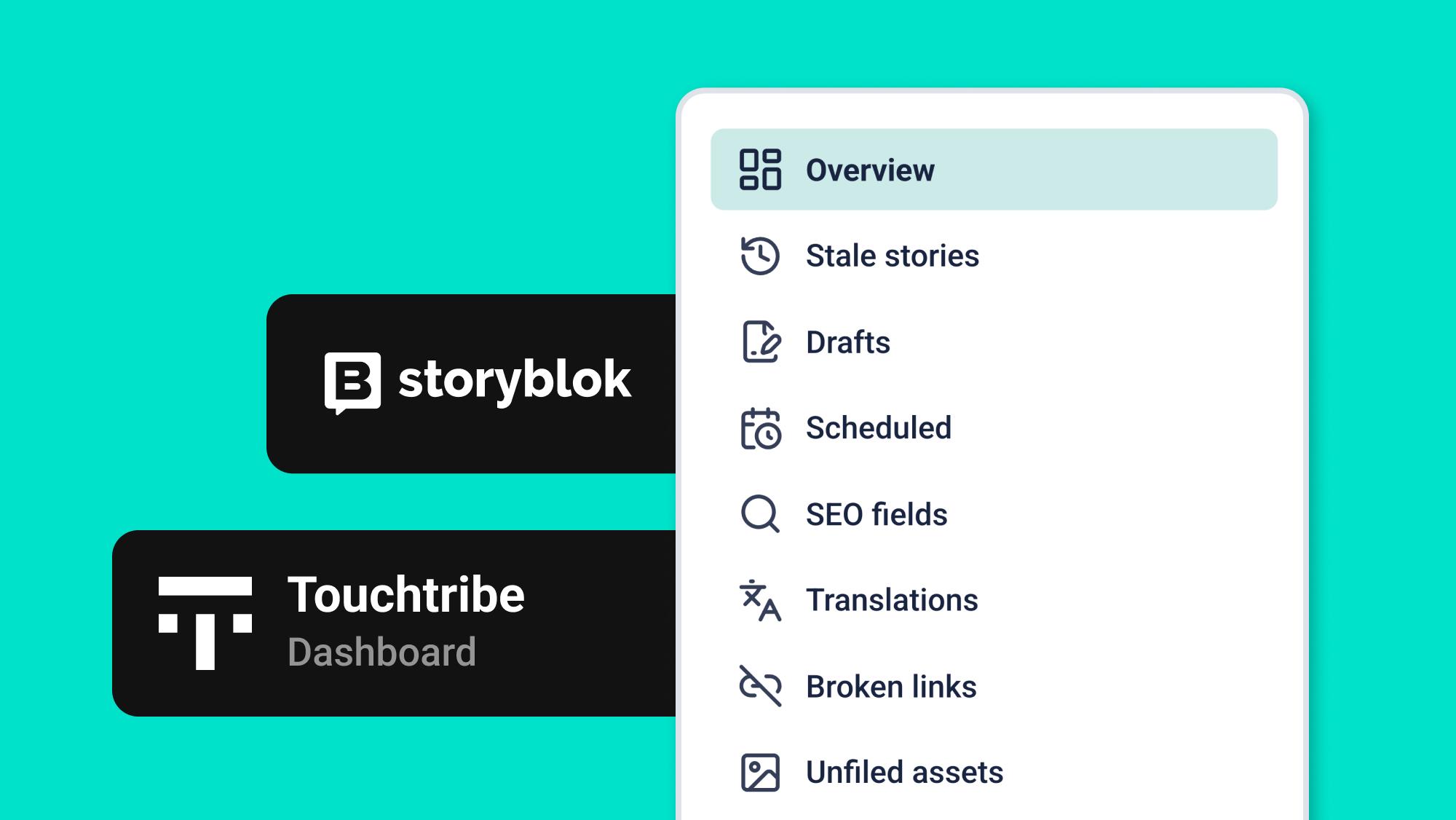
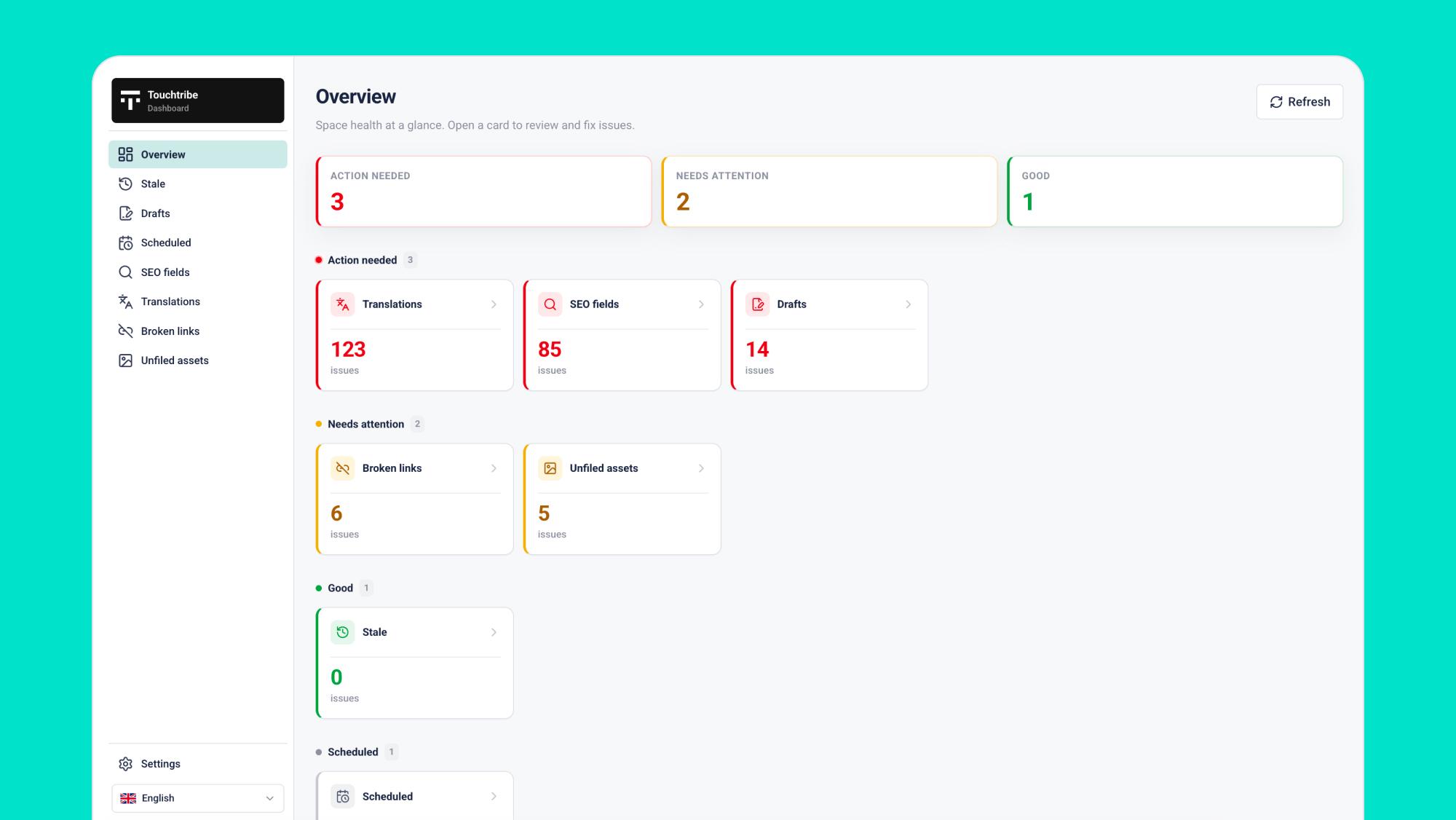
Our Storyblok sidebar plugin brings all of that fragmented information together in one place. Open the app inside your space and you're greeted with a clear overview: what's critical, what needs attention, and what's in good shape. From there, you can jump straight into focused lists, not to generate reports, but to take action. Click an issue, open the story in the editor, fix it, and move on with your day.
It sounds simple, and that's exactly the point. Content health shouldn't be another project to manage. It should be an easy habit that's part of your everyday workflow.
What you'll find in the dashboard
The dashboard focuses on the areas where Storyblok spaces most commonly start to deteriorate without anyone noticing.
Stale stories highlight content that hasn't been updated for too long. You decide what "too long" means. Stories that are intentionally left untouched can be snoozed temporarily or permanently, keeping the list focused instead of endlessly growing.
Draft content shows stories that are still unfinished: stories that have never been published, as well as published stories with unpublished changes. Ideal before a release, during a handover, or simply on a Monday morning.
Scheduled content gives you a clear overview of everything that's due to go live. No surprises on launch day—just a quick way to verify that your publishing schedule looks right.
SEO fields are scanned for missing information, including titles, descriptions, and any additional fields your implementation expects.
Translations detect missing field-level translations across all languages used in your space. A multilingual website is a strength. A partially translated one simply feels unfinished.
Broken links search for internal Storyblok links that no longer point anywhere—even when they're hidden inside rich text fields.
Unfiled assets reveal media files that are floating around your asset library without a proper location, making it easy to move them into staging folders and keep your library organised.
Not every team relies equally on every feature, and that's perfectly fine. The overview shows where your attention is needed today. Everything else is there when you need it.
Adapt to your space, not the other way around
Every Storyblok space has its own rules. That's why the plugin is configured through space-level settings, with a simple onboarding flow the first time you install it. From then on, every check uses your own configuration instead of generic assumptions. The interface itself is available in both English and Dutch.
Spend less time searching, more time fixing
The goal of this dashboard isn't to give you another dashboard. It's to stop you from having to search.
Storyblok remains the place where your content is created and published. The sidebar plugin makes sure you also know how healthy that content is before your visitors, Google, or a panicked Slack message tells you.
Interested in seeing how we use this Storyblok content health dashboard for our clients? We'd love to show you.